From drawing to toolpath.
200+ online tools that turn drawings into G-code, fix broken DXF files, nest parts on a sheet and slice models for your 3D printer. All in your browser, nothing to install.
Free account, free runs on every app, zero installs.
Pick your machine
Cutting and G-code tools for the shop floor, 2D and 3D design helpers, AI generators and parts made for each material.
Cutting & G-code
48 appsGenerate, convert, check and nest DXF and G-code for plasma, oxy-fuel, waterjet, laser and router cutting of sheet metal and plates.
AI Tools
4 appsDescribe a part or a shape in words and let AI draft the DXF or image for you.
2D Design
121 appsCreate, edit and convert 2D drawings: parametric shapes, CAD scripts, calculations, DXF merging and file conversions.
3D & Printing
37 appsSlice models for 3D printers and create, view, convert and measure 3D parts.
By Material
37 appsReady-made parametric parts and toolpaths for pipes, wood, stone, glass, aluminium doors and leather.
gsDXF2gCode New
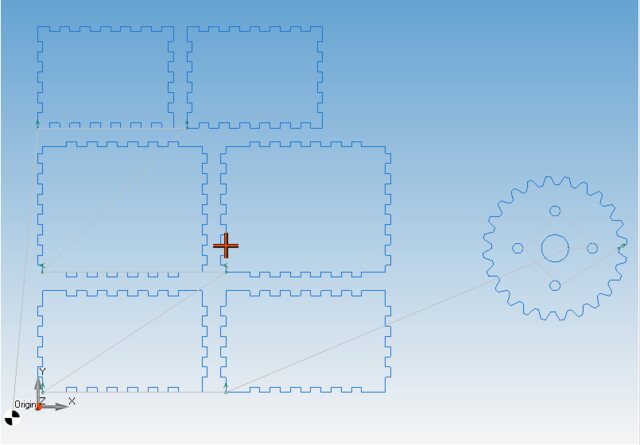
Our new Windows CAD/CAM: import DXF and DWG or draw your own parts, nest them on a sheet, simulate the cut and export G-code for laser, plasma, waterjet and router.
CNC Apps Desktop
Most of our tools are also available as standalone software for desktop PCs, for a one-time purchase.
Popular apps
AI DXF generator from text
Describe a shape in words and get a DXF back.
DXF Nesting & G-Code Generation
Nest DXF parts and generate optimized G-Code in one step.
Flatten 3D
Flatten a 3D DXF onto the XY plane for 2D cutting.
Image engraving
Turn a photo into an engraving toolpath.
Merge DXF files
Combine several DXF files into one drawing.
Convert SPLINE to POLYLINE
Replace splines with polylines your machine understands.
Convert Excel file to DXF
Script to DXF & JPG
Create drawings from a simple script.
Three steps to the machine
-
Pick a tool
Search for anything, like “dxf to gcode”, “nesting” or “flange”, or browse the hubs.
-
Load your part
Upload a DXF, STL or image, or enter the dimensions of a parametric part.
-
Run and download
Preview the result in your browser, then download the G-code or drawing and send it to your machine.
Need something that isn’t here?
We build custom CNC software: G-code post-processors, nesting, CAD/CAM tools, product configurators and machine integration.
Questions?
What is cnc-apps.com?
cnc-apps.com is a collection of online CAD/CAM tools for CNC machines. It generates and converts G-code, fixes and converts DXF files, nests parts, slices 3D models and creates parametric parts for plasma, laser, waterjet, router, mill and 3D printers.
Is it free?
Sign up for free and try every app with free runs. The number of runs varies from app to app. A subscription gives you unlimited runs and higher queue priority when the servers are busy.
Do I need to install anything?
No. All apps run in your browser on desktop and mobile. If you prefer to work offline, most tools are also available as desktop software.
Will the G-code work with my machine?
Our generators write standard ISO G-code, and many apps let you set the header, footer and machine-specific commands. Always check a new program in a simulator or with a dry run before cutting.
Which file formats are supported?
Mostly DXF, SVG, STL and G-code (NC, TAP, GCODE), plus images such as PNG and JPG. Each app lists the formats it accepts.
Start with a free account
Grab a free account to keep your run history and saved files.