Polyline
How to use this app
Results
Your result will show up here
Fill in the steps above and hit the button.
Daily limit reached
That’s all the free runs for today
Good news: a free account gets you more free runs every day, plus your run history.
Your inputs are saved, so you can pick up where you left off.
Quick feedback
Offline too New
gsDXF2gCode
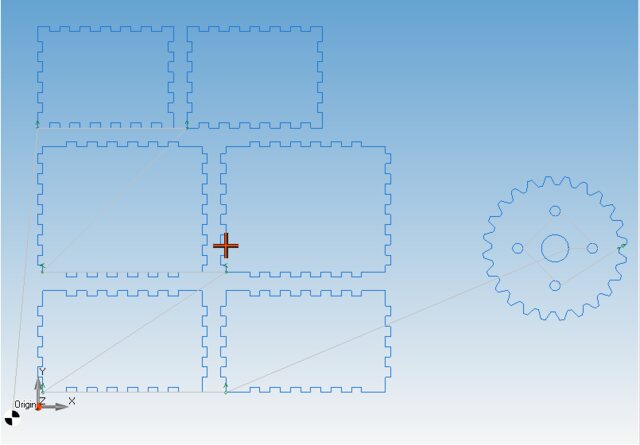
Our new Windows CAD/CAM. Draw or import a part, nest it on the sheet, watch the cut and export G-code for laser, plasma, waterjet or router.
- DXF and DWG import, 2D drawing tools
- Nesting, gears, boxes and pipe developments
- Cutting, engraving, punching and 2.5D milling with simulation
One-time purchase · Windows 64-bit · free demo
See gsDXF2gCodePrefer our classic desktop tools? CNC Apps Desktop
Apps in the same category
- Arc
- Arch Bridge
- Band Clamp
- Belt
- Bezier Curve
- Bolt Circle
- Bolt Rectangle
- Circle
- Circular Vent Grid
- Circular Vent Grid Variant 2
- Combined Shapes
- Copy in/out
- Dogbone Polygon
- Dogbone Slot
- Dome
- Double Band Clamp
- Ellipse
- Exo Panel
- Explode to files
- Filleted Star
- Fillets
- Finger Joint Box
- Fish Scales
- Flared Spokes
- Gantt chart
- Gear
- Geometric Logo
- Geometric Logo Variant 2
- Half Band Clamp
- Hatch
- Heart
- Heart Stack
- Hex Flower
- Hole Pattern
- Honeycomb
- Kerf Compensation Gauge
- Letter M
- Letter M
- Line
- Lines from file
- Merge DXF files
- Nameplate
- Nameplate Variant 2
- Pixel Heart
- Point
- Points from file
- Polygon Box Profile
- Polygon Rim Box
- Polygon Rim Box
- Polyline
- Polyline from file
- Polyline from polar points
- Polyline to curve
- Rectangle
- Regular polygon
- Repeat
- Rim Box
- Rim Box Profile
- Rim Box Variant 2
- Ring
- Round Rectangle
- S Curve
- Skate Deck
- Slot
- Smile Face
- Smile Face
- Smile Face Variant 2
- Spiral
- Spiral Variant 2
- Star
- Star Box
- Straight Spokes
- Test Panel
- Text
- Text on curve
- Tongue And Groove
- Triangle
- Tube Clamp
- Vent Grid
- Vent Grid Variant 2
- Window Arch
- Window Arch Grid
- Wrapped Text
Drop file anywhere