STL to G-CODE

Automatically saved form
You are viewing a saved form (created ) Load clean form
Create G-CODE from a STL file for 3D printers.
How to use this app

How to use this app

Open full guide

Loading the guide…

Upload your file
Upload your file (R)
Allowed file types: stl
Max size : 78.64 MB
Drag and drop files anywhere
Upload
Printer options optional
Nozzle diameter (R)
Print center (R)
Z offset (R)
Z steps per mm
Gcode flavor (R)
Filament options optional
Filament diameter (R)
Extrusion multiplier (R)
Temperature (R)
First layer temperature (R)
Bed temperature (R)
First layer bed temperature (R)
Speed options optional
Travel speed (R)
Perimeter speed (R)
Small perimeter speed (R)
External perimeter speed (R)
Infill speed (R)
Solid infill speed (R)
Top solid infill speed (R)
Support material speed (R)
Support material interface speed (R)
Bridge speed (R)
Gap fill speed (R)
First layer speed (R)
Acceleration options optional
Perimeter acceleration (R)
Infill acceleration (R)
Bridge acceleration (R)
First layer acceleration (R)
Default acceleration (R)
Accuracy options optional
Layer height (R)
First layer height (R)
Infill every layers (R)
Solid infill every layers (R)
Print options optional
Perimeters (R)
Top solid layers (R)
Bottom solid layers (R)
Fill density (R)
Fill angle (R)
Fill pattern (R)
Fill gaps (R)
Top infill pattern (R)
Bottom infill pattern (R)
Start gcode
End gcode
Before layer gcode
Layer gcode
Toolchange gcode
Seam position (R)
External perimeters first (R)
Spiral vase (R)
Only retract when crossing perimeters (R)
Solid infill below area (R)
Infill only where needed (R)
Infill first (R)
Quality options (slower slicing) optional
Extra perimeters (R)
Avoid crossing perimeters (R)
Thin walls (R)
Detect bridging perimeters (R)
Support material options optional
Support material (R)
Support material threshold
Support material pattern (R)
Support material spacing (R)
Support material angle in degrees (R)
Support material contact distance (R)
Support material interface layers (R)
Support material interface spacing (R)
Raft layers (R)
Support material enforce layers (R)
Support material buildplate only (R)
Don't support bridges
Retraction options optional
Retract length (R)
Retract speed (R)
Retract restart extra (R)
Retract before travel (R)
Retract lift (R)
Retract lift above (R)
Retract lift below (R)
Retract layer change (R)
Wipe (R)
Retraction options for multi-extruder setups optional
Retract length toolchange (R)
Retract restart extra toolchange (R)
Cooling options optional
Cooling
Min fan speed (R)
Max fan speed (R)
Bridge fan speed (R)
Fan below layer time (R)
Slowdown below layer time (R)
Min print speed (R)
Disable fan first layers (R)
Fan always on
Skirt options optional
Skirts (R)
Skirt distance (R)
Skirt height (R)
Min skirt length (R)
Brim width (R)
Interior brim width (R)
Transform options optional
Scale (R)
Rotate (R)
Duplicate (R)
Duplicate grid (R)
Duplicate distance (R)
Don't arrange
Xy size compensation (R)
Sequential printing options optional
Complete objects (R)
Extruder clearance radius (R)
Extruder clearance height (R)
Miscellaneous options optional
Notes
Resolution (R)
Flow options (advanced) optional
Extrusion width
First layer extrusion width
Perimeter extrusion width
External perimeter extrusion width
Infill extrusion width
Solid infill extrusion width
Top infill extrusion width
Support material extrusion width
Infill overlap (R)
Bridge flow ratio (R)
Multiple extruder options optional
Extruder offset (R)
Perimeter extruder (R)
Infill extruder (R)
Solid infill extruder (R)
Support material extruder (R)
Support material interface extruder (R)
Ooze prevention (R)
Standby temperature delta (R)
Run
Ready when you are Usually takes about 40 seconds
Results
Your result will show up here Fill in the steps above and hit the button.
Report an issue

Describe the issue

Rate this app

Sign in to rate this app

Offline too New

gsDXF2gCode

Our new Windows CAD/CAM. Draw or import a part, nest it on the sheet, watch the cut and export G-code for laser, plasma, waterjet or router.

  • DXF and DWG import, 2D drawing tools
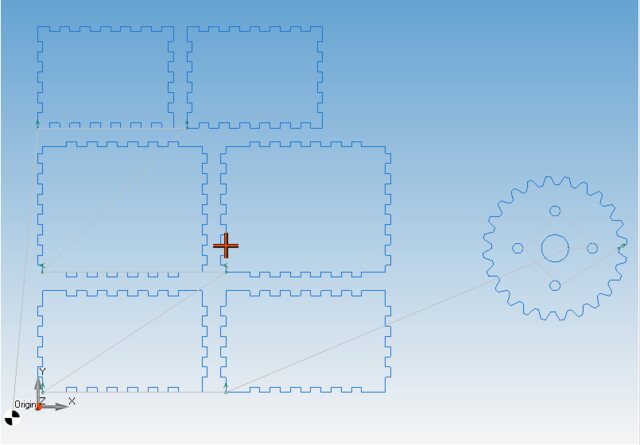
  • Nesting, gears, boxes and pipe developments
  • Cutting, engraving, punching and 2.5D milling with simulation

One-time purchase · Windows 64-bit · free demo

See gsDXF2gCode

Prefer our classic desktop tools? CNC Apps Desktop

Apps in the same category


Drop file anywhere
We are using cookies! (Read Policy)
Accept Essential Accept All


Activating your license
Please wait