Help
By Material
How to use DXF to G-CODE (knife)
Creates G-code for a tangential knife, for example for leather. At every corner the knife lifts, turns on the A axis to the new direction and goes down again.
Open the app
On this page
Settings
What you get Worked example
Settings
Basic input data
Setting
What you enter
Default
Upload your DXF file required
DXF file, up to 50 MB
–
G-CODE data
Setting
What you enter
Default
Code header
Text
–
Code for UP
Text
G0 Z10
Code for DOWN
Text
G0 Z0
Code footer
Text
G0 A0
A axis offset
Number
0
What you get
Worked example
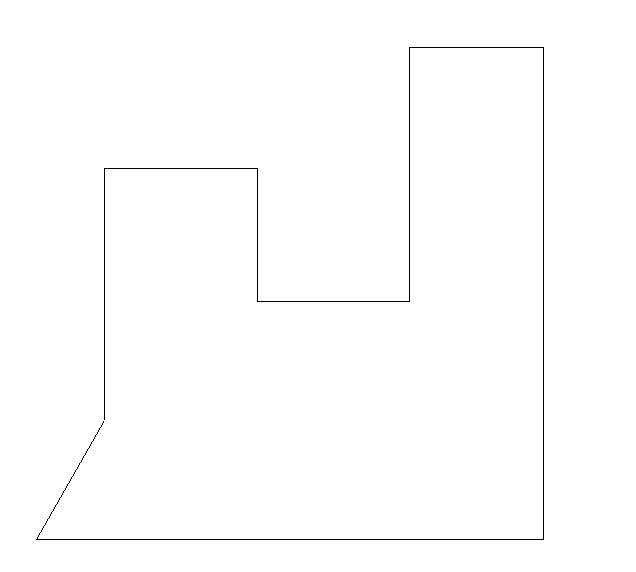
Drawing
Settings
Code header
T1
Code for UP
G0 Z10
Code for DOWN
G0 Z0
Code footer
G0 A0
Result
G90
T1
G0 Z10
G0 A0
G0 X9.558 Y16.637
G0 Z0
G0 Z10
G0 A90.000
G0 Z0
G1 X9.558 Y52.037
G0 Z0
G0 Z10
G0 A0.000
G0 Z0
G1 X30.974 Y52.037
G0 Z0
G0 Z10
G0 A270.000
G0 Z0
G1 X30.974 Y33.452
G0 Z0
G0 Z10
G0 A0.000
G0 Z0
G1 X52.391 Y33.452
G0 Z0
G0 Z10
G0 A90.000
G0 Z0
G1 X52.391 Y69.028
G0 Z0
G0 Z10
G0 A0.000
G0 Z0
G1 X71.152 Y69.028
G0 Z0
G0 Z10
G0 A270.000
G0 Z0
G1 X71.152 Y0.000
G0 Z0
G0 Z10
G0 A180.000
G0 Z0
G1 X0.000 Y0.000
G0 Z0
G0 Z10
G0 A60.124
G0 Z0
G1 X9.558 Y16.637
G0 Z0
G0 Z10
G0 A0
G0 X0.000 Y0.000
G0 Z0
G0 A0
Open the app